Tonira
ArmeniaUI/UX design, web development, logo design2026
We design and build applications for Canadian businesses that need customers or staff to complete work online, from placing an order to managing requests across locations.
A custom application makes sense when the way your team works is hard to support with the tools you have. Orders might arrive in several places, customers might call to check the same information, or someone might spend each morning copying records from one system to another. We start by following the work from the first action through to the person responsible for the outcome.
During discovery we ask who uses the application, what they need to see, what they are allowed to change and who handles exceptions. We look at the tools that already carry part of the workflow and agree on which ones to keep. That gives us a realistic first release and a list of improvements that can wait until people have used it.
A dashboard should help someone make a decision. A manager may need to compare requests across locations and find overdue tasks. A staff member might only need a queue for their own branch and a reliable way to update the next step. We work out which information belongs on each screen and how users can reach the underlying record when they need detail.
A customer portal has different priorities. Customers may need to submit a request, see its status and find out when they should expect an update. The staff view needs enough information to resolve that request and hand it to the next person. We define access by role and prototype common tasks alongside exceptions such as updating the wrong record or trying to open a request assigned to another location.
Booking starts with the rules your staff already use. We ask what can be booked, how availability changes, when someone needs approval and what happens when an appointment moves. Those rules inform the information customers see before they confirm and the options staff need to handle a change. If an existing booking tool covers the workflow, we can scope an integration.
For ordering, we review the path from browsing to confirmation, then look at what each location needs to fulfil the order. A menu update, unavailable item or change in pickup hours needs to reach the right people at the right time.
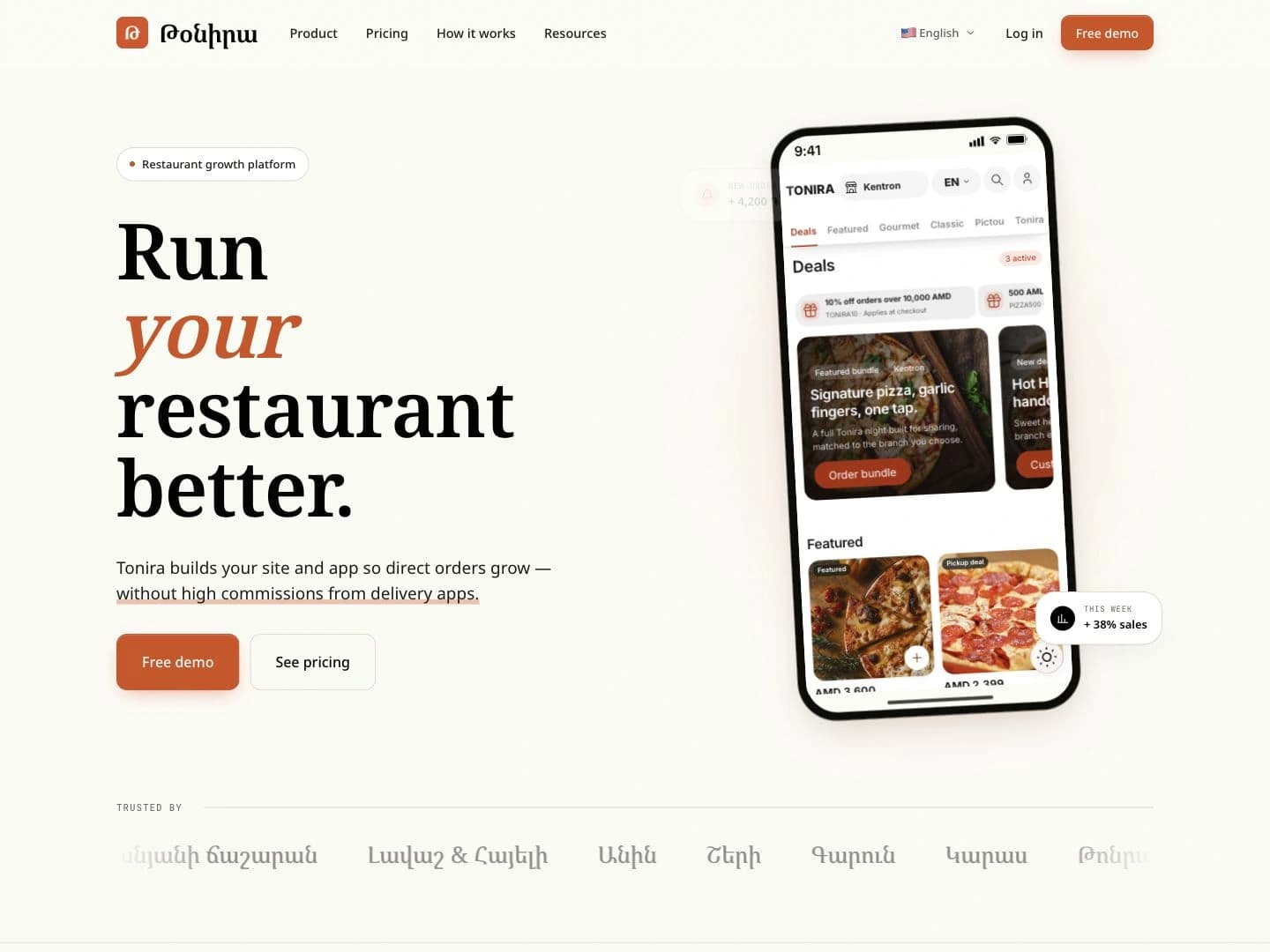
See how the ordering and operations features are presented in our Tonira restaurant platform project.
We look at where and how people will use the product. A customer who opens a menu from a search result or scans a link may be best served by a responsive web app. A team carrying out a repeated task on a phone may benefit from a mobile app if the workflow calls for capabilities such as notifications or camera access.
If a web and mobile experience are both in scope, we map where they share screens, rules and data and where each needs a different design. We discuss how the team will keep each version current and what testing and release work it adds. That decision belongs early in planning because it changes the work required to launch and support the product.
For a workflow that needs a dedicated iOS or Android app, see our mobile app development service.
An application may need to connect to payments, inventory, a booking provider or another system that already manages part of the work. We first check what access the provider offers and which system is responsible for each piece of information. We document what is sent, what comes back, and how staff can check the status when an update is delayed.
We also scope the ordinary failures that affect day-to-day use. A payment can fail, an integration can return incomplete data or a vendor account can lose access. We agree on clear messages and recovery steps so a customer knows what happened and a staff member has enough information to follow up. Provider fees and account ownership are part of the proposal discussion.
Discovery produces a shared outline of the first release, with the main workflows, roles, integrations and decisions still open. In design, we prototype the important screens and review them with the people who will use them. That includes errors, empty screens and changes in state, alongside the successful path.
During development we build the agreed flows and verify them with examples that reflect your work. Before launch we confirm account access, review any data import and agree who approves the release. We document what staff can update themselves and agree how issues and later changes will be handled. A useful handoff gives someone on your team enough context to take ownership of day-to-day operations.
Pricing depends on scope. The number of roles and workflows, the rules behind them and the difficulty of connecting to other systems all affect the build. Moving historical records, supporting several locations or maintaining a separate mobile app can add design, testing and rollout work. We discuss ongoing provider fees and support alongside the initial development work.
To request a quote, tell us who will use the application, what they do today and which tasks you want the first release to handle. Share the tools involved and any launch date you are working toward. We can then identify the unknowns that need discovery and explain which decisions are likely to make the largest difference to the estimate.
We can start by reviewing the existing workflows, code access and integrations. We then scope the changes that are practical with the current build.
That depends on who uses it, how they reach it and what their devices need to do. We consider responsive web and mobile app requirements during discovery.
The quote depends on roles, workflows, integrations, data migration and support. Bring the first workflow you want to improve so we can discuss scope.